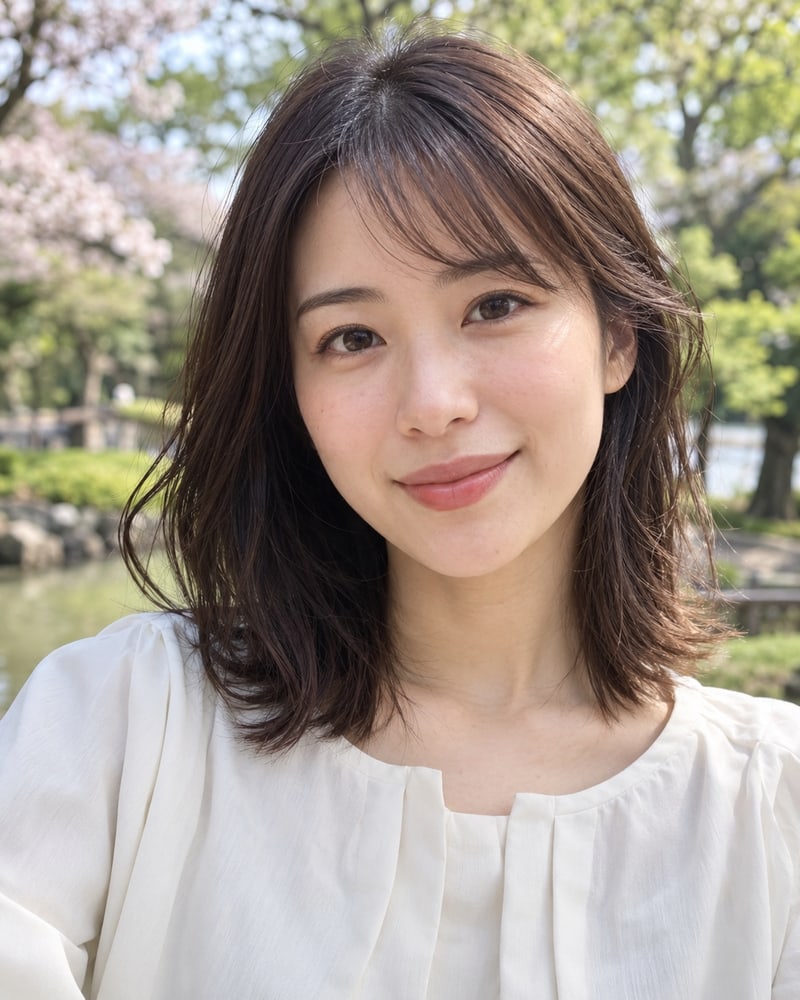
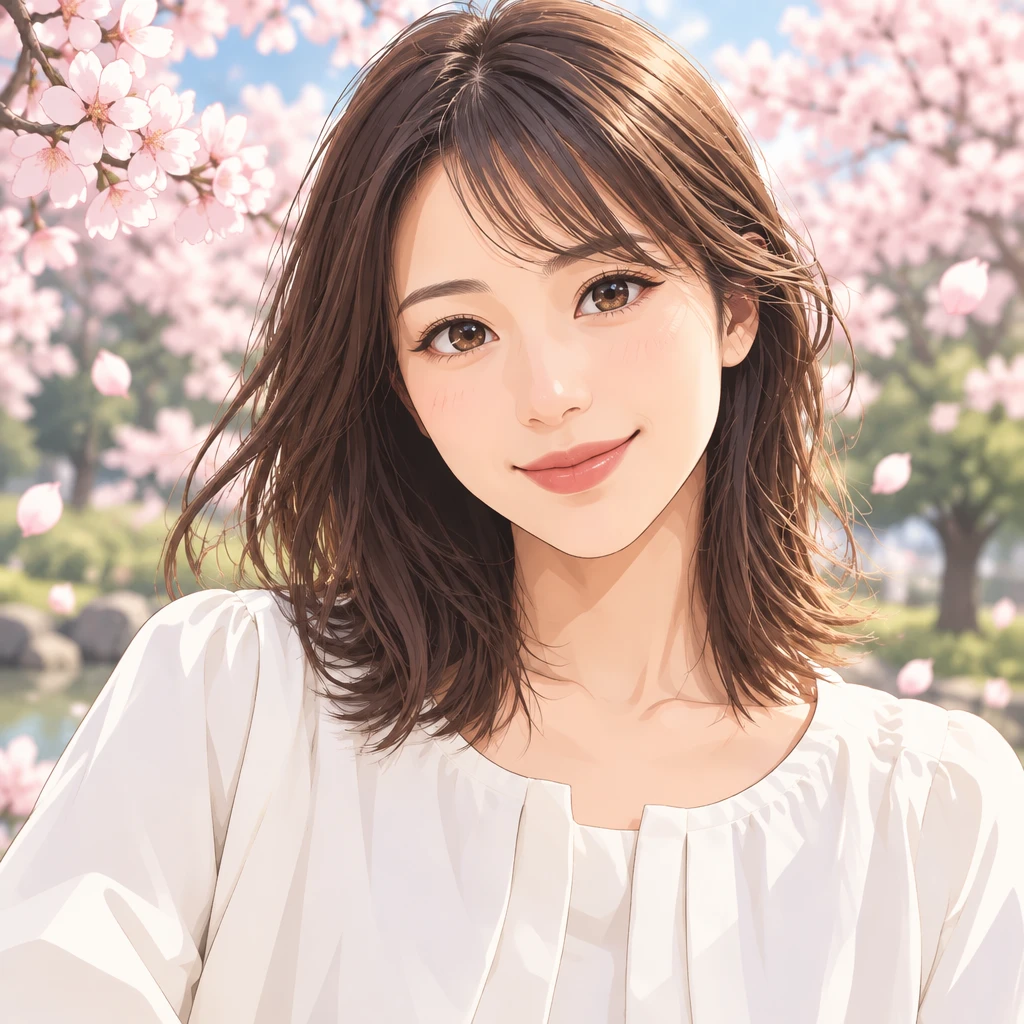
Photo to Anime

Upload a photo and turn it into anime art with the AnimeGen photo to anime converter

文字生成视频热门图片生成视频热门

How To Use

How to use the photo to anime converter

01

Upload your photo

use a clear, well-lit, front-facing photo; JPG / PNG / WebP up to 10MB; one subject per photo works best.

02

Choose an anime style

pick a style preset (modern TV anime, 90s cel, watercolor, cyberpunk) and an aspect ratio that matches your original photo.

03

Generate and download

the converter redraws your photo in anime style, keeps the pose and face, and gives you a downloadable high-resolution image.

Tip: photos with a clear face, good lighting, and minimal background noise convert much better. Avoid heavy filters and group shots where faces are small.

See a photo turn into anime art

Selfie to anime portrait

Sample prompt: Clean modern anime portrait, soft cel shading, detailed eyes, natural skin tones, simple sakura background

Modern animeSoft cel shadingPortrait

Model: GPT Image 2.5 | Ratio: 2:3

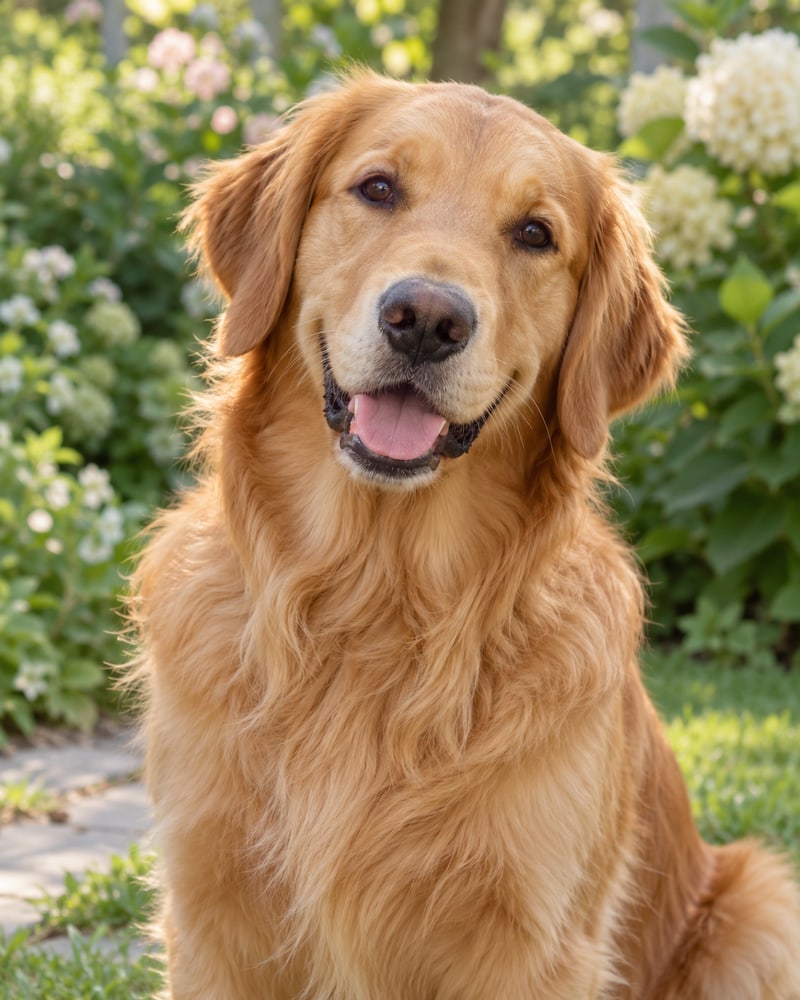
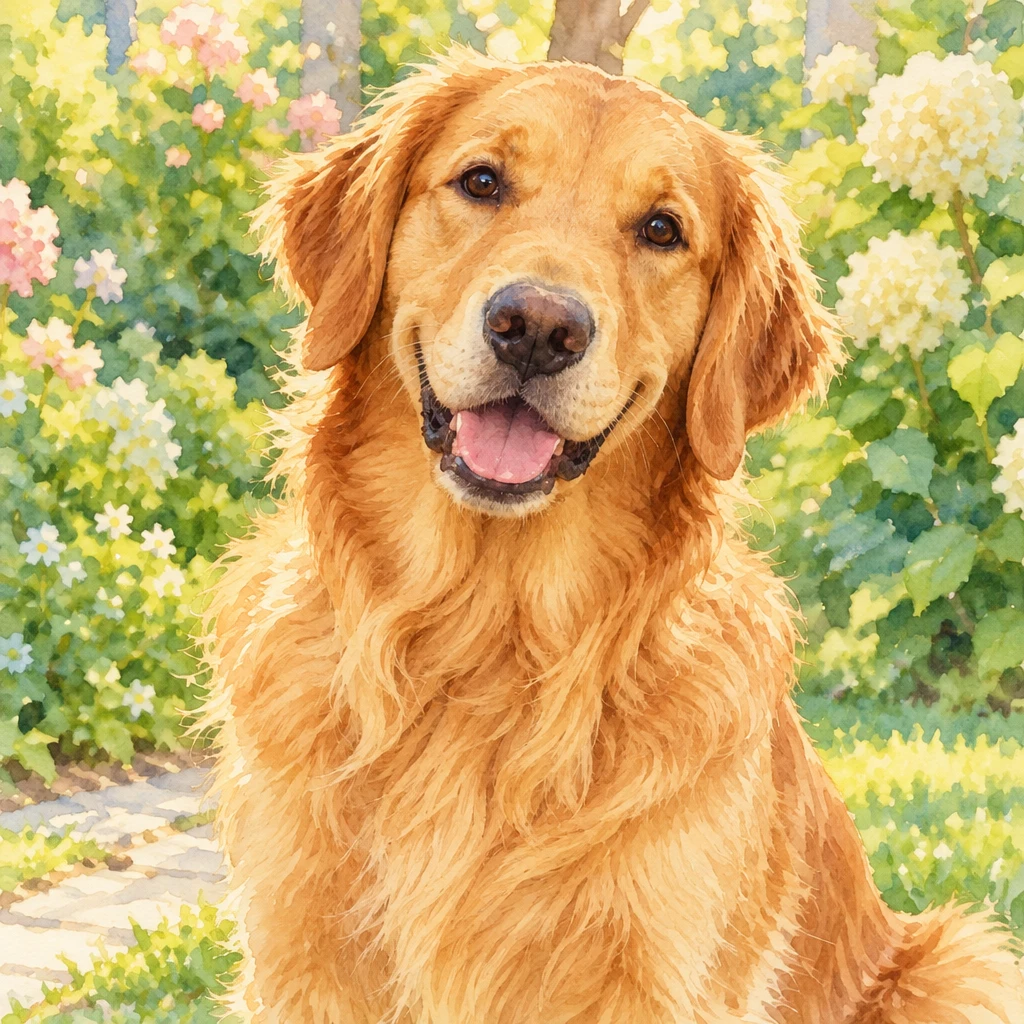
Pet photo to anime

Sample prompt: Warm watercolor anime illustration, preserve the pet's markings and expression, soft garden background

Watercolor animePet markingsSoft background

Model: Seedream 5 Pro | Ratio: 1:1

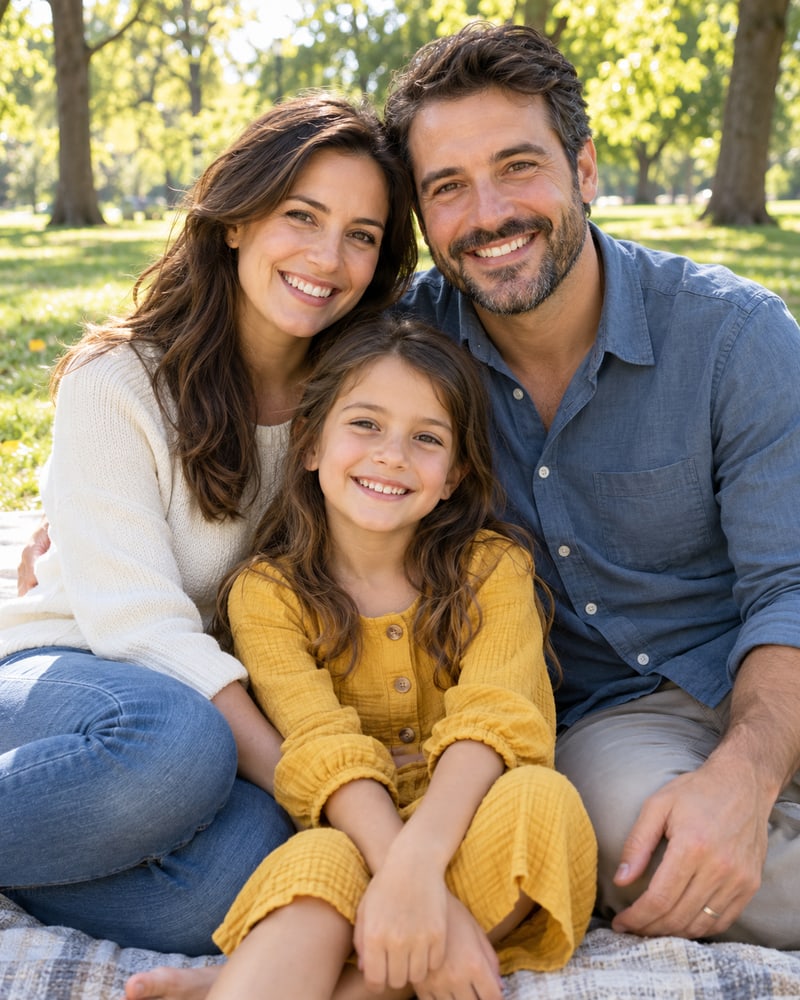
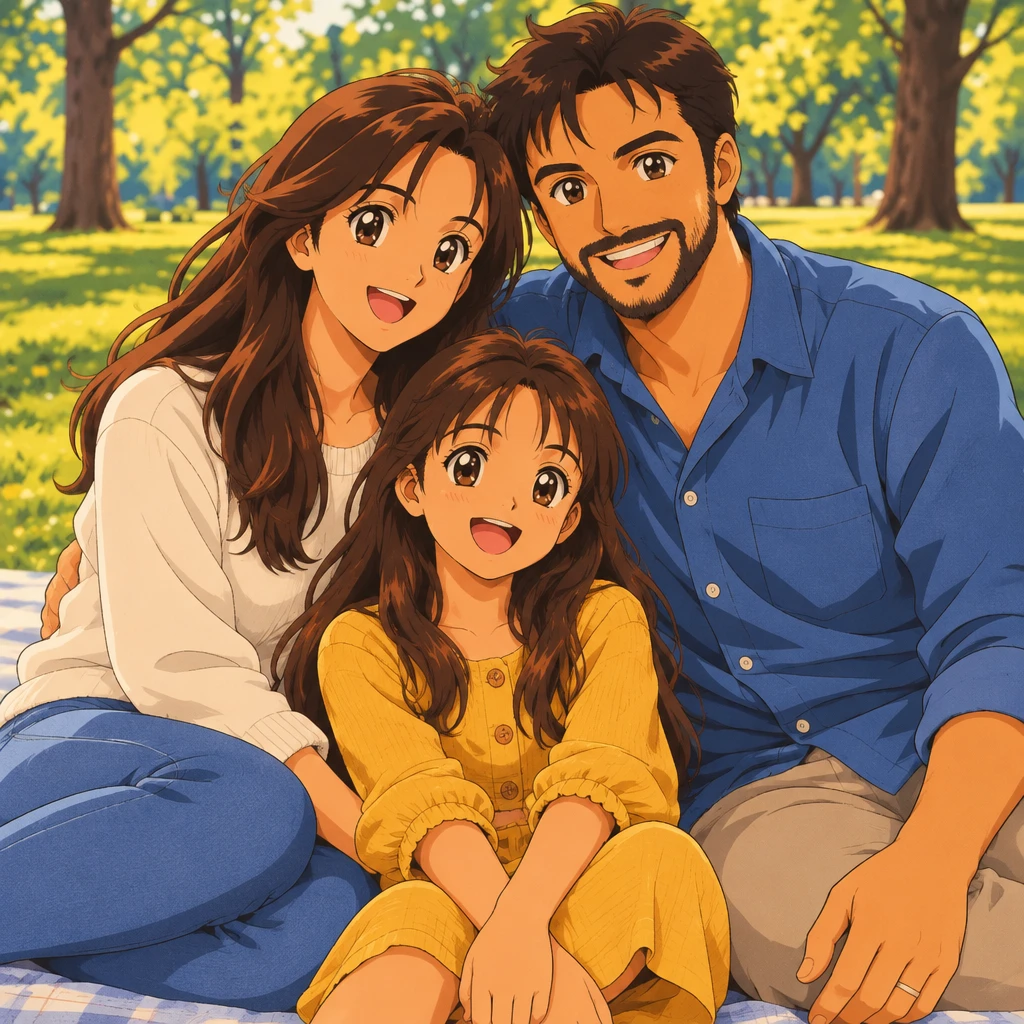
Family photo to anime scene

Sample prompt: 90s cel anime family scene, keep each person's pose and clothing colors, warm afternoon light

90s cel animeFamily sceneWarm light

Model: Flux 2 Max | Ratio: 3:2

Photo to Anime vs Image to Anime

Photo to anime and image to anime describe the same task: converting an existing picture into an anime style. People often say photo to anime for portraits and camera shots, while image to anime can also refer to illustrations, scans, or other source files. Both are handled by this same page, with the uploaded picture guiding the subject, pose, and composition.

If you do not have a source photo, use the AI Anime Generator to create anime art from a text description instead.

Photo to Anime Features for a Faithful Likeness

Keeps the Likeness

face shape, hairstyle, expression and pose from the original photo are preserved rather than replaced.

01

Style Presets

switch between anime styles without re-uploading; compare results side by side.

02

Works With Any Photo

phone shots, scanned prints, old photos; landscape and portrait both supported.

03

Fast, High-Resolution Output

finished in seconds, download at full resolution for printing or profile use.

04

选择您的套餐

灵活的定价选项,满足不同需求

入门版
$9.99$7.99/月
$95.90 按年计费

适合轻度创作者

  • 每月 400 积分
  • 自动续费
  • 标准支持
  • 快速队列
  • 定制需求
最受欢迎
专业版
$19.99$15.99/月
$191.90 按年计费

动漫爱好者的最佳选择

  • 每月 1000 积分
  • 自动续费
  • 优先支持
  • 快速队列
  • 定制需求
Ultra
$39.99$31.99/月
$383.90 按年计费

为高级用户打造

  • 每月 3000 积分
  • 自动续费
  • 专属支持
  • 快速队列
  • 定制需求

继续探索更多 AnimeGen 产品

查看适合场景创作、头像生成和原创角色设计的相关工具,快速找到更适合当前目标的产品页。

  • 核心生成器

    AI 动漫生成器

    通过提示词快速生成动漫场景、插画和概念图,适合通用二次元创作需求。

    AI Anime Generator
  • 照片转换工具

    照片转动漫

    上传现有照片并转换为动漫风格,同时保留主体、姿势和可识别的细节。

    转换照片
  • 卡通工具

    AI 卡通生成器

    快速生成角色感更强、轮廓更清晰、色彩更鲜明的卡通插画,适合吉祥物、广告视觉和故事场景。

    前往生成卡通图
  • 头像工具

    AI 动漫头像生成器

    快速生成适合社媒头像、创作者品牌和社区形象的二次元头像,构图更聚焦人像。

    anime avatar generator
  • 角色工具

    AI 动漫角色生成器

    用更适合角色设定的生成方式,快速产出服装清晰、动作明确的人设图和原创角色概念。

    anime character generator
  • 壁纸工具

    AI 动漫壁纸生成器

    快速生成更适合桌面和手机使用的动漫壁纸,角色主体更明确,屏幕构图也更完整。

    前往生成壁纸
  • 文字生成视频

    AI 动漫视频生成器

    把提示词生成有动作、有镜头感的二次元短视频,适合社媒、分镜和创意预告。

    Turn anime images into video

Photo to Anime FAQ

A photo to anime converter uses an AI image model to redraw an existing picture in an anime style. It uses the uploaded photo as a visual reference for the subject, pose, framing, and recognizable details.

Upload a JPG, PNG, or WebP photo, choose a model and aspect ratio, then click Generate. The style prompt is optional, so you can generate from the photo alone or describe a specific anime look.

The converter is designed to preserve recognizable details such as face shape, hairstyle, expression, and pose, but AI results can vary. A clear, front-facing photo and a short style direction usually produce a closer likeness.

Use a clear, well-lit photo with the subject facing the camera and minimal background clutter. Avoid heavy filters, motion blur, and group shots where faces are small.

New users receive 5 free credits to try image generation. Monthly plans are Starter at $9.99, Pro at $19.99, and Ultra at $39.99 when you need more credits and features.

Uploaded images and reference files are stored temporarily for processing and deleted within 24 hours. We do not sell or share your images or prompts with third parties; processing occurs on secure servers with encryption, and prompts and images may be scanned to enforce policy and prevent abuse. Your content is not used to train our models without explicit consent, and you can request deletion at any time.

Yes, the terms allow personal and commercial use, and you own the rights to files generated with the service. You remain responsible for having the right to upload the source photo and for following intellectual property, consent, and acceptable-use rules.