AnimeGen Logo

Anime OC Maker

Design an original character, from their signature look to their first reference sheet.

55 credits per image

Start with an OC idea

One anime OC, three ways to draw them

See the same sky courier in three formats. Select Try this setup to load the courier’s description and matching aspect ratio in Anime OC Maker, then swap in your own character details.

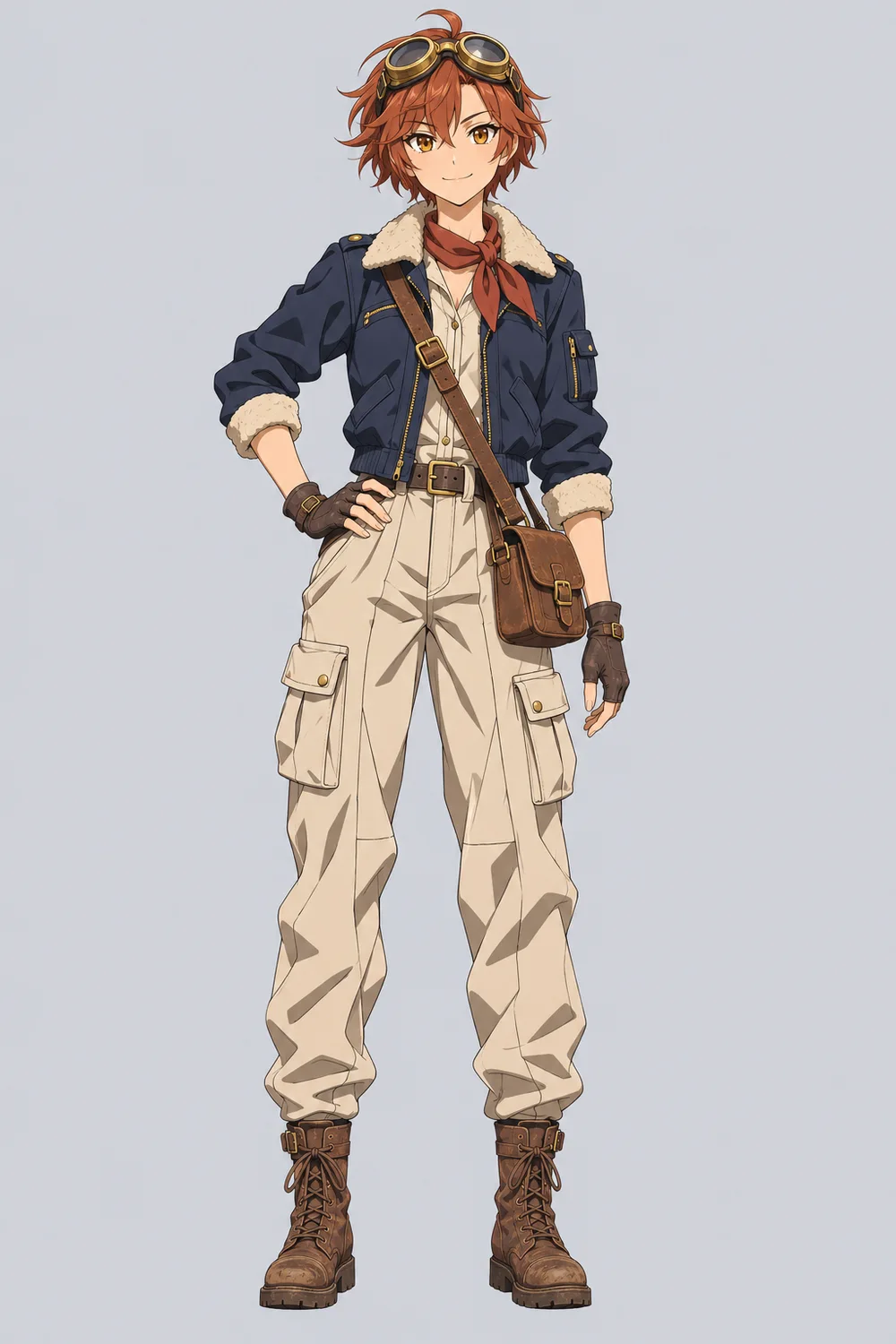
Full-body illustration of a copper-haired anime sky courier in a navy flight jacket and cream cargo trousers

Full body

See the complete outfit, from the flight jacket to the boots and messenger bag.

See the prompt

An original anime sky courier with short copper hair, amber eyes, brass goggles on their head, a navy flight jacket with a shearling collar, a rust-red scarf, cream cargo trousers, worn boots, a brown messenger bag, and a confident smile.

Draw one character from head to toe with their boots visible. Show the outfit and accessories clearly on a plain background.
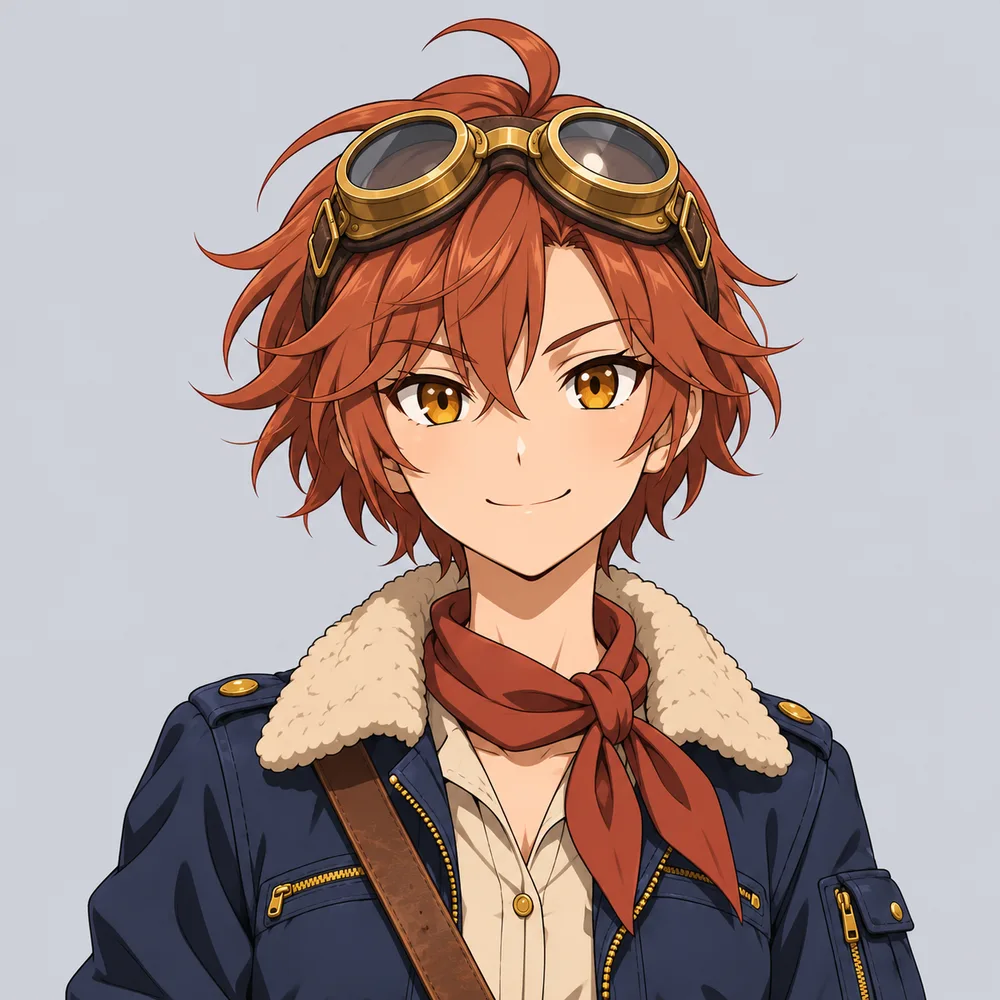
Portrait of the sky courier with amber eyes, brass goggles, and a rust-red scarf

Portrait

Focus on the face, expression, and signature goggles for a profile picture.

See the prompt

An original anime sky courier with short copper hair, amber eyes, brass goggles on their head, a navy flight jacket with a shearling collar, a rust-red scarf, cream cargo trousers, worn boots, a brown messenger bag, and a confident smile.

Draw a head-and-shoulders portrait. Keep the copper hair, amber eyes, and brass goggles in view.

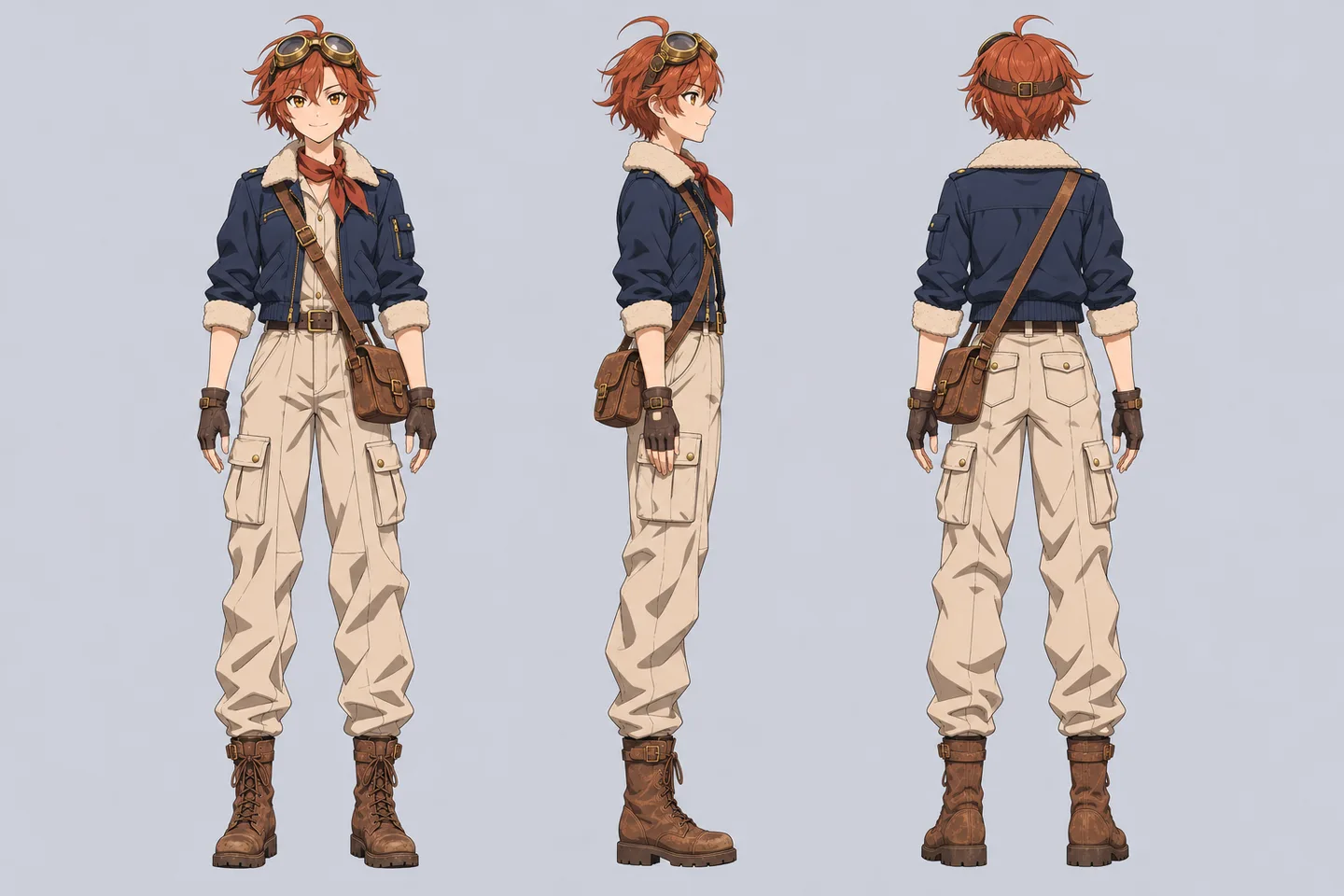
Character reference sheet with front, side, and back views of the sky courier

Character sheet

Compare the outfit and silhouette from the front, side, and back.

See the prompt

An original anime sky courier with short copper hair, amber eyes, brass goggles on their head, a navy flight jacket with a shearling collar, a rust-red scarf, cream cargo trousers, worn boots, a brown messenger bag, and a confident smile.

Show the same character from the front, side, and back on a wide canvas. Keep the outfit, colors, and accessories consistent.

Illustrative examples. Your results depend on the model, prompt, and reference image.

Your character, your choices

Give your OC a look you can keep developing

An OC is an original character you invent. Start with a few defining traits: a hairstyle, a color palette, a favorite outfit, or a prop that tells part of their story. The anime OC maker turns that description into a visual starting point.

Explore general anime character design
Anime character illustration from an existing AnimeGen model sample
AnimeGen model sample. Your result depends on the prompt, model, and reference image.

How to use Anime OC Maker

  1. 01

    Choose a starting idea

    Write your character description or click a preset. Replace the hair, clothes, colors, and accessories with your own choices.

  2. 02

    Pick the output

    Choose full body, portrait, or character sheet. Select a model and aspect ratio, then check the displayed credit cost.

  3. 03

    Generate and refine

    Generate a first draft in Anime OC Maker and compare it with your description. If a detail is missing, make it more specific in the next prompt, such as brass goggles resting on top of the head.

Build on the same character

To try an outfit change in Anime OC Maker, upload a full-body image in the Reference image tab and adapt the prompt below. Name the clothes to replace and the details to keep, such as the face, hairstyle, or goggles.

Example outfit prompt

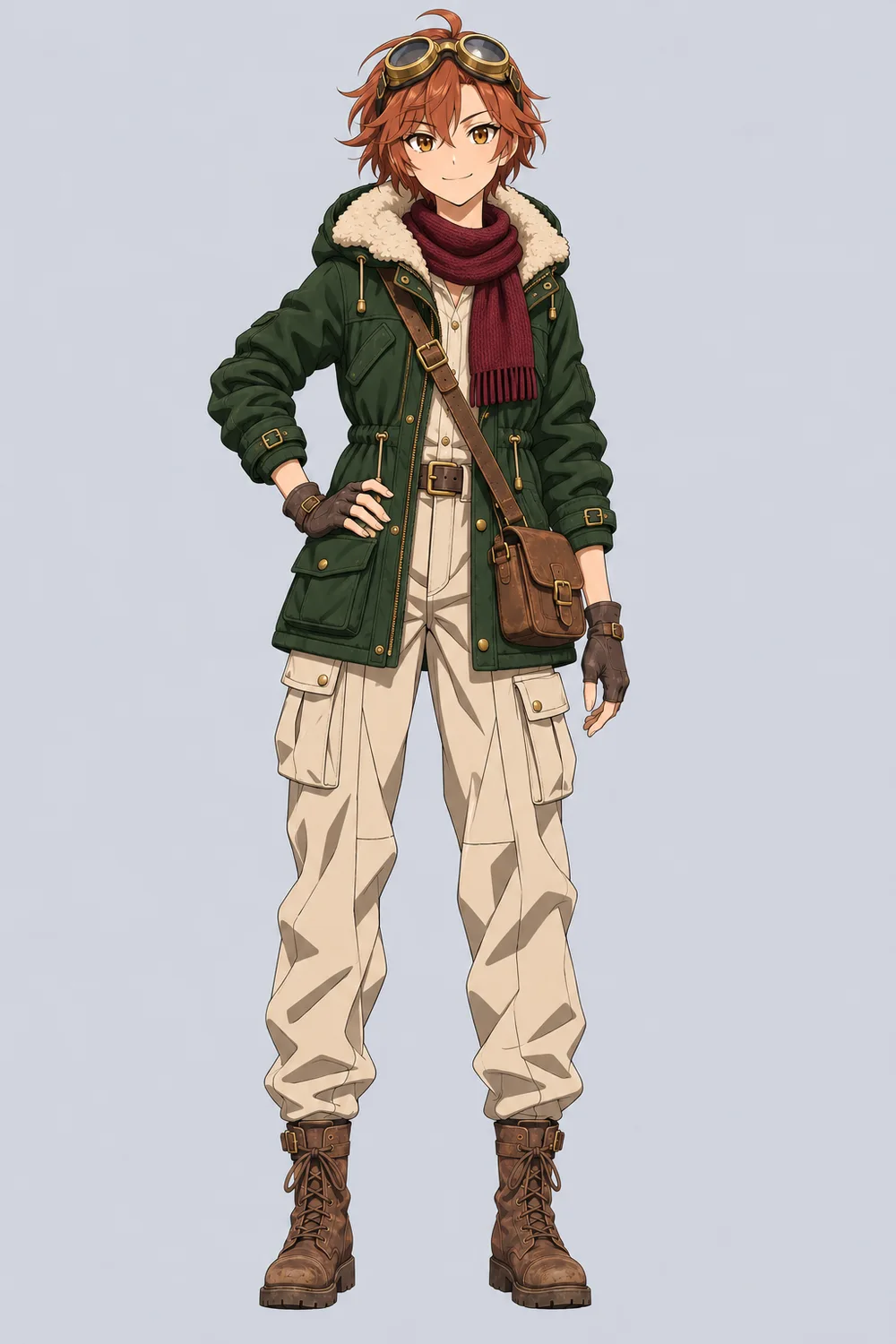
Replace the navy flight jacket with a forest-green winter parka with a cream shearling collar and change the scarf to burgundy wool. Keep the same face, copper hair, amber eyes, brass goggles, messenger bag, trousers, boots, and pose.

If a detail changes unexpectedly, try again with the original reference and describe that feature more precisely.

Full-body illustration of a copper-haired anime sky courier in a navy flight jacket and cream cargo trousers
Original flight outfit
The same sky courier in a forest-green winter parka and burgundy scarf
Winter outfit

Illustrative comparison. Results in Anime OC Maker vary by model. Check the face and signature accessories before using both versions together.

Choose Your Plan

Flexible pricing options for different needs

Starter
$9.99$7.99/month
$95.90 billed annually

For casual creators

  • 400 credits / month
  • Auto-renewal
  • Standard support
  • Fast queue
  • Customized requirements
Most Popular
Pro
$19.99$15.99/month
$191.90 billed annually

Best value for anime lovers

  • 1000 credits / month
  • Auto-renewal
  • Priority support
  • Fast queue
  • Customized requirements
Ultra
$39.99$31.99/month
$383.90 billed annually

Built for power users

  • 3000 credits / month
  • Auto-renewal
  • Dedicated support
  • Fast queue
  • Customized requirements

Discover More AnimeGen Tools

Explore related anime image products for scene generation, profile-ready avatars, and original character design.

  • Avatar Tool

    AI Anime Avatar Generator

    Generate polished anime avatars for social profiles, creator branding, and community identities with cleaner portrait framing.

    Create an avatar
  • Character Tool

    AI Anime Character Generator

    Design original anime characters with clear outfits, expressive poses, and concept-friendly compositions for games and stories.

    Design a character
  • Chibi art

    Chibi Generator

    Create cute characters with oversized heads, tiny bodies, and expressive faces from text or a reference image.

    Create a chibi

Anime OC maker FAQ

Prompts, reference images, credits, and character sheets.

An anime OC maker creates anime artwork of a character you invent from a written description or reference image. You choose traits such as hair, eyes, clothing, and accessories to guide the design.

You can start with the available free credits. Each generation uses credits, and the amount depends on the selected model. Check the cost shown beside the generate button; paid plans provide more credits.

Yes. Open the Reference image tab in Anime OC Maker and upload a clear picture of your character. If you were using Animagine, the tool switches to a model that accepts references. In your prompt, list the features to keep and the changes you want.

Yes. Full body adds instructions for a complete character with visible feet and suggests a portrait canvas. Portrait requests a head-and-shoulders image on a square canvas. Switching outputs keeps your character description.

Anime OC Maker adds a request for front, side, and back views to your description and suggests a wide canvas. Treat the result as a draft. Check the proportions, outfit, and accessories across views before using the sheet as a drawing reference.

Identical results are not guaranteed. Reuse a reference image, keep the same model and defining traits, and change one thing at a time. Faces, accessories, and clothing details may still vary.

Anime OC Maker creates character images. Write the name and backstory separately, then use visual details from that story in your prompt. A worn uniform or a chipped sword can hint at what your character has been through.

Open the generated result and click Download OC to save the image. Keep a copy of your description as well so you can reuse the character details in later generations.
AnimeGen Logo

AI Anime Generator for character art, scenes, and concept visuals. Create anime images from text prompts fast.

Product

  • Anime OC Maker
  • AI Manga Generator
  • AI Anime Generator
  • AI Cartoon Generator
  • AI Anime Avatar Generator
  • AI Anime Character Generator
  • AI Anime Wallpaper Generator
  • AI Anime Video Generator
  • Photo to Anime
  • Chibi Generator

Support

  • Blog
  • Contact Us
  • Terms of Service
  • Privacy Policy

© 2026 AnimeGen. All rights reserved.

Privacy PolicyTerms of ServiceCookie Policy